# Excluding URLs
> Canonical HTML version: https://rocketvalidator.com/blog/exclusions
> Attribution: Rocket Validator (https://rocketvalidator.com)
> License: CC BY 4.0 (https://creativecommons.org/licenses/by/4.0/)
We've enhanced the link crawler, you can now define URLs to be excluded from the reports.
Greetings!
We are thrilled to announce a new feature for Rocket Validator that we believe will make your site validation reports more precise.
As you know, our scraper automatically finds and includes internal web pages by following links. However, if you prefer to have more control over the URLs included in your reports, you can use an [XML or TXT sitemap](https://docs.rocketvalidator.com/performance-tips/#using-an-xml-sitemap) with specific URLs or [disable deep crawling](https://rocketvalidator.com/blog/deep-crawling-is-now-optional) to restrict the scope.
Sometimes, though, you may want to exclude certain URLs from your reports, but creating a link sitemap may not be feasible. That's why we've introduced URL path exclusions. You can now **define paths that you want to exclude from your reports** with ease.
Let's say you want to run a site validation report on the [Github Blog](https://github.blog/), but you wish to exclude all "author" and "category" URLs from that specific report. It's a simple task. All you need to do is include those paths in the New Report form as shown below:
```
github.blog/author/
github.blog/category/
```
Path exclusions can be as simple as a substring, such as "author" for the first URL and "category" for the second one. However, to avoid false positives, we recommend that you include the domain as well.
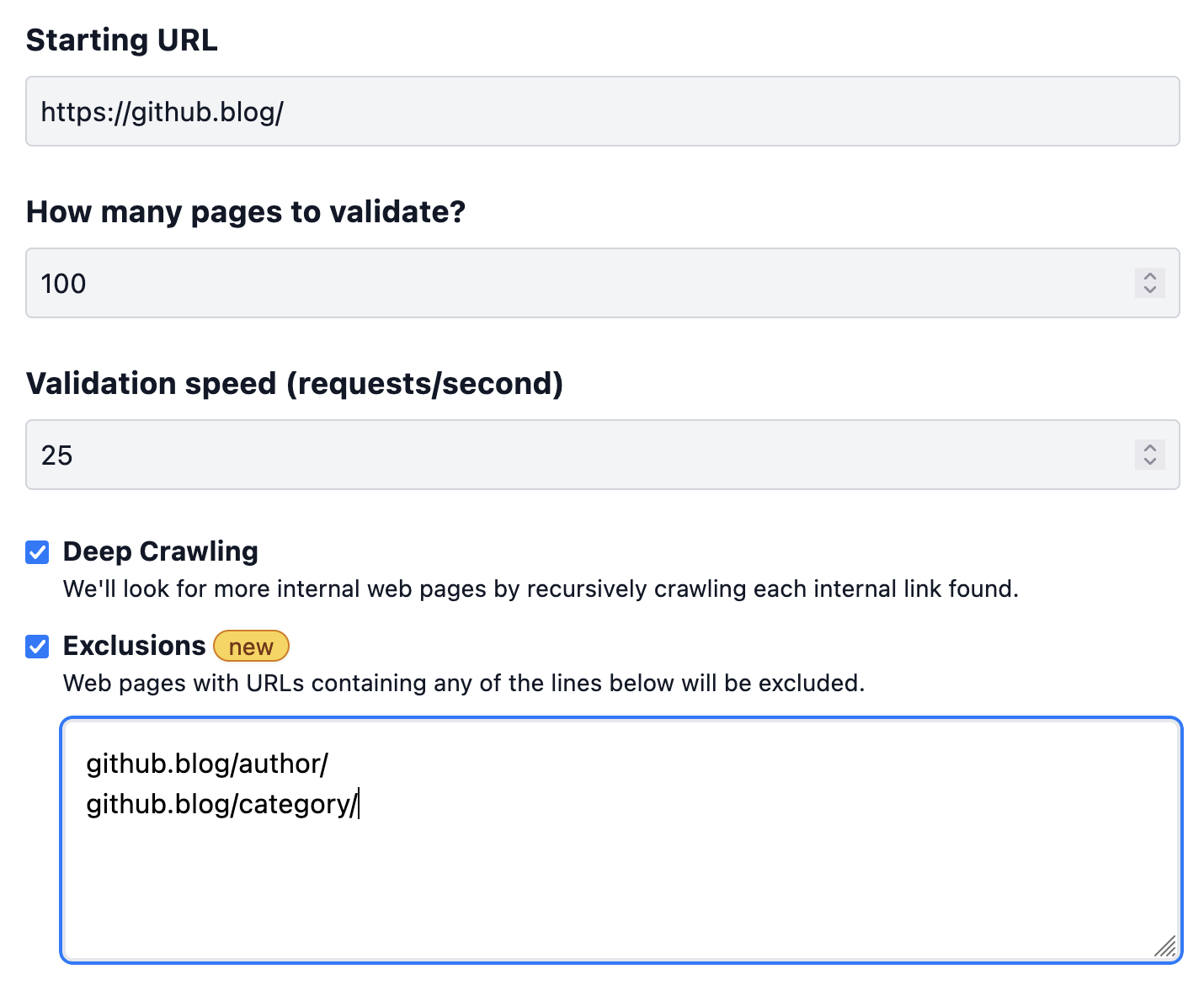 Once you define the exclusions and run the report, the scraper will automatically skip the matching URLs and exclude them from the report.
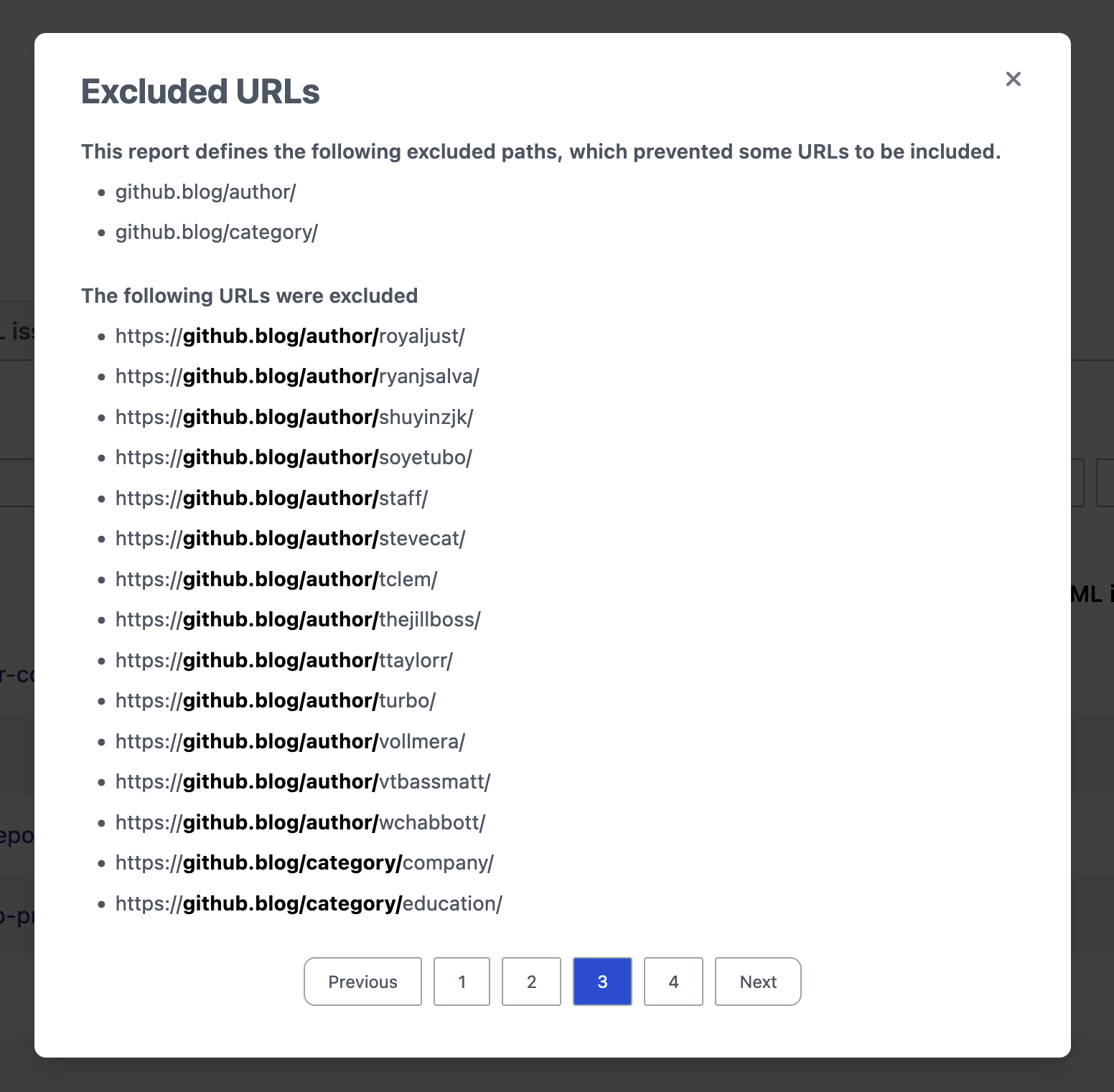
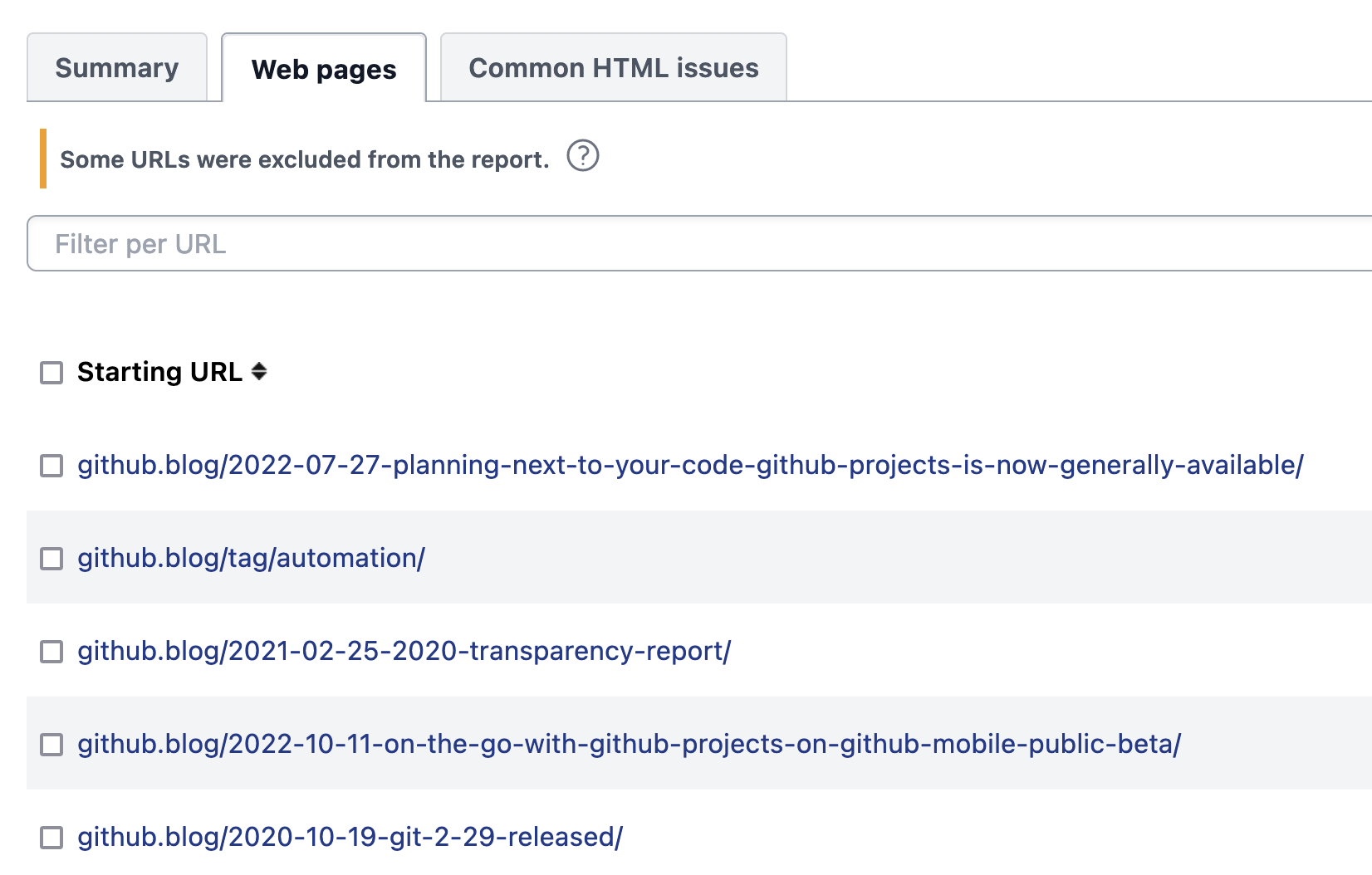 You can view the excluded URLs by clicking on the question mark icon in the notice displayed over the web page list.
 You can define exclusions on [Schedules](https://docs.rocketvalidator.com/scheduling/) and also manage them via the [API](https://docs.rocketvalidator.com/api/). Exclusions are also included when you [download reports](https://rocketvalidator.com/blog/how-to-export-report-data-as-excel-files) as Excel files.
We hope this feature proves useful to you and enhances your experience with Rocket Validator!
You can define exclusions on [Schedules](https://docs.rocketvalidator.com/scheduling/) and also manage them via the [API](https://docs.rocketvalidator.com/api/). Exclusions are also included when you [download reports](https://rocketvalidator.com/blog/how-to-export-report-data-as-excel-files) as Excel files.
We hope this feature proves useful to you and enhances your experience with Rocket Validator!